Some links below are affiliate links. If you buy through them we may earn a small commission at no cost to you.
If you’ve ever hovered over the “print” button wondering whether your old printer is going to turn a cute dinosaur outline into a smeary gray blob, you’re not alone. Finding the best printer for coloring pages at home is one of those small decisions that quietly makes a huge difference in how often your kids (or you) actually sit down and color. A good printer means crisp lines, paper that doesn’t jam every third page, and ink that doesn’t run out the week before a birthday party. Let’s sort out what really matters.
For most families, a compact color inkjet with separate ink tanks (like an HP ENVY or Canon PIXMA home printer) is the best printer for coloring pages because it handles both black line art and full-color designs cleanly without costing a fortune in ink. If you only print simple black-and-white outlines, a basic laser printer is cheaper to run long-term.
The short answer: the best printer for coloring pages
The best printer for coloring pages for most households is a color inkjet with separate (not combined) ink cartridges, because it prints both black-and-white line art and colorful designs without wasting ink. If budget is tight and you mostly print simple outlines, a basic monochrome laser printer is the cheapest to run over time. If you print a lot of pages, want saturated colors for thick pages, or want borderless printing for gift tags and bookmarks, step up to a mid-range photo-capable inkjet.
It’s worth pausing on why this category of decision trips so many parents up. A printer isn’t something you shop for often, so the terminology (dpi, tank-based ink, cartridge yield) can feel like a foreign language. But once you understand the handful of things that actually matter for coloring pages specifically – as opposed to printing homework or boarding passes – the decision gets a lot simpler. You’re mostly looking for clean line reproduction, reasonable ink costs if you print often, and the ability to handle slightly heavier paper without jamming.

There’s also no single “right” answer here, and that’s okay. The best printer for coloring pages in a house with one child who colors occasionally looks very different from the best printer for coloring pages in a home classroom printing a stack of designs every single day. Think of the rest of this guide as a way to match the printer to your actual routine, rather than chasing the fanciest model on the shelf.
Our top picks for the best printer for coloring pages
- Best overall: Canon PIXMA home inkjet series – crisp lines, true-to-life color, easy refills
- Best budget: HP DeskJet series – reliable basics for everyday black-and-white printing
- Best splurge: Epson EcoTank series – near-bottomless ink for families who print constantly
- Best for kids or beginners: Brother compact laser printer – simple, nearly foolproof, built to last
- Best for detailed art: Canon PIXMA photo-capable model – smooth gradients for intricate designs
How to choose the best printer for coloring pages
You don’t need to be a tech expert to pick a good printer. Here’s what actually moves the needle when the job is mostly black line art and the occasional colorful page.
- Inkjet vs. laser: Inkjets handle color and fine detail best, which matters if you print shaded or illustrated coloring pages. Lasers are cheaper per page for plain black-and-white outlines and don’t dry out if left unused for weeks.
- Ink cost and type: Cartridge-based printers are cheap upfront but pricey to refill often. Tank-based printers cost more initially but can print thousands of pages before needing a refill, which is worth it if coloring is a daily habit in your house.
- Paper handling: Check that the printer accepts the paper weight you want to use, especially if you like printing on heavier cardstock for coloring pages that will get markers or watercolor pencils.
- Print quality for fine lines: Look at the printer’s resolution (measured in dpi) – higher numbers mean crisper outlines, which matters a lot for detailed mandala or botanical designs.
- Speed and reliability: If you’re printing a whole coloring book’s worth of pages at once, a printer that jams easily or runs slowly will test your patience fast.
- Wireless and app printing: Being able to print straight from a phone or tablet is genuinely convenient, especially if your kids like picking their own pages from a library of free printable coloring pages.
One more thing worth mentioning: don’t assume the most expensive printer is automatically the best printer for coloring pages in your specific home. A family that prints a handful of pages a month doesn’t need the same machine as a home classroom going through a full page a day. Matching the printer to your actual habits will save you money and frustration either way.
Canon PIXMA home inkjet series
Best for: Families who print both black-and-white outlines and colorful pages regularly.
Why it’s a good pick: The Canon PIXMA line is known for sharp text and line reproduction along with accurate, vibrant color, which makes it a dependable all-rounder for coloring pages of every style. It’s widely available in entry-level and mid-range tiers, so you can match the model to how much you print.
Skip it if: You print extremely high volumes every week – in that case, ink refills on a standard cartridge model can add up faster than a tank-based system.
HP DeskJet series
Best for: Occasional printing on a tight budget.
Why it’s a good pick: The HP DeskJet series is a long-running, entry-level line known for being simple to set up and inexpensive to buy, which makes it a sensible starting point if you’re not sure how much you’ll actually use a printer yet. It handles standard black-and-white coloring pages just fine.
Skip it if: You plan to print in color often – replacement cartridges for budget inkjets tend to cost more per page than pricier tank-based printers.
Epson EcoTank series
Best for: Households that print coloring pages almost daily, or run a home classroom.
Why it’s a good pick: The Epson EcoTank line uses refillable ink tanks instead of small cartridges, so the up-front cost is higher but the cost per page drops dramatically over time. If you’re constantly refreshing your library of designs from sites like our free printable coloring pages collection, this is the printer that won’t make you wince every time you hit print.
Skip it if: You only print a handful of pages a month – the higher upfront price won’t pay for itself.
Brother compact laser printer
Best for: Parents who want something nearly foolproof for black-and-white pages.
Why it’s a good pick: Brother’s compact laser printers are known for being low-maintenance and reliable, with toner that doesn’t dry out even if the printer sits unused for a while. That’s ideal for a home where coloring sessions happen in bursts – after school one week, barely at all the next.
Skip it if: You want to print full-color illustrated pages – most compact laser printers are monochrome only.
Canon PIXMA photo-capable model (mid-range)
Best for: Adults who color detailed, full-color printable designs like mandalas or botanical scenes.
Why it’s a good pick: A mid-range photo-capable inkjet produces smoother gradients and richer color depth, which shows off intricate printable pages beautifully – especially nice for gifting a finished piece or for our Mandala Magic printable coloring book. It also handles borderless printing if you want edge-to-edge designs.
Skip it if: You mostly print simple black-line pages for young kids – this is more printer than you need.

Printed books vs. printing at home
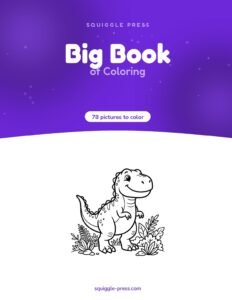
Here’s the honest truth: even the best printer for coloring pages involves ink, paper, and a bit of setup time. If you’d rather skip the printing step entirely, a real printed coloring book is a nice shortcut. Our Big Book of Coloring ships coil-bound with 78 pictures printed on one side only, so markers never bleed through to the next page – something home printers can struggle with on thin paper. For themed gifts, the Dinosaur Coloring Book or Ocean Coloring Book are nice grab-and-go options too.

When printing at home makes more sense
That said, a printer earns its keep when you want flexibility – printing just one page to match a theme, reprinting a favorite design after it got a little too enthusiastically colored, or trying out a whole bundle of designs before committing to a favorite. Our Everything Bundle includes 40 printable PDF books for exactly this kind of print-as-you-go flexibility, and a seasonal pick like the Halloween Coloring Book printable is perfect for a one-off party activity.
If you’re weighing printing at home against buying printed books outright, it often comes down to how much you print and how much ink costs in your area. Either way, browse our full shop to compare printed and printable options side by side.

Paper matters as much as the printer
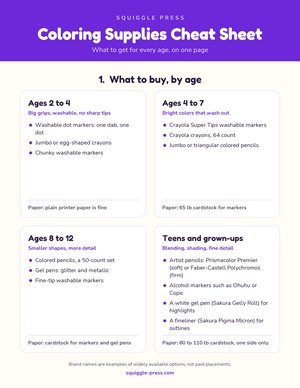
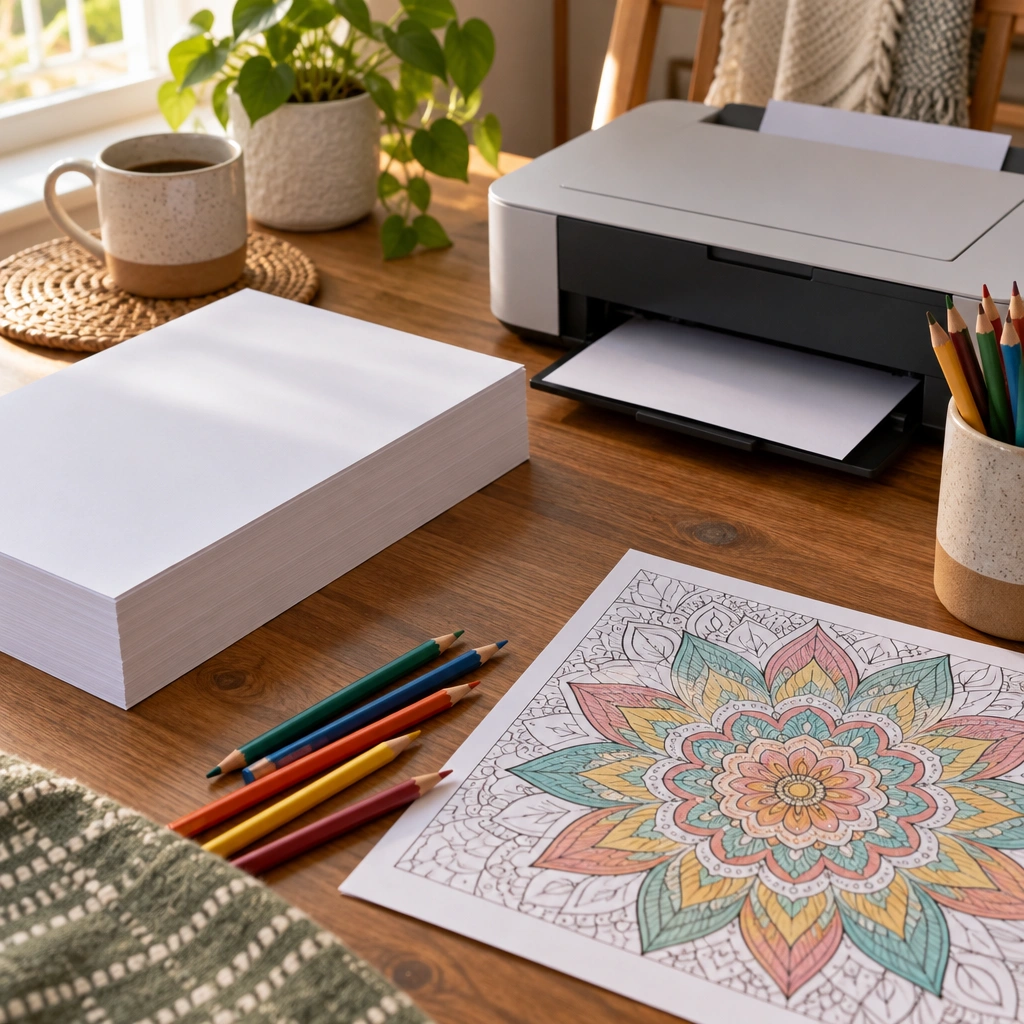
Even the best printer for coloring pages will disappoint if you load it with flimsy copy paper. Thin paper lets markers and gel pens bleed through, and it can wrinkle under watercolor pencils. A heavier cardstock (around 60-80 lb weight) holds up much better to markers, colored pencils, and light watercolor washes. Just double-check your printer’s manual first, since some lighter-duty inkjets and laser printers can only handle certain paper weights without jamming.
If you print cardstock often, it’s worth keeping a small stack of plain copy paper on hand too, for test prints. Checking alignment and color on cheap paper before committing a nicer design to cardstock saves both ink and paper in the long run, especially while you’re still getting a feel for a new printer’s settings.
For a bit of background on choosing safe, age-appropriate art materials for kids in general, the Healthy Children parenting site has some general information worth a look. If you’re setting up a dedicated coloring space at home, you might also enjoy our guide to picking a good light source in the best lamp for coloring.
Printer settings that make a real difference
Once you’ve picked the best printer for coloring pages, a few small settings tweaks go a long way:
- Print quality: Choose “best” or “high quality” mode for crisper line art, especially on detailed designs.
- Paper type setting: Match the setting to your actual paper (plain, matte, cardstock) so the printer adjusts ink flow correctly.
- Grayscale for line art: Printing black-only outlines in grayscale mode saves color ink for when you actually need it.
- Borderless printing: Handy for designs meant to be framed or used as gift tags, but it uses a bit more ink and paper.
It’s also worth checking your printer’s app or software for a “draft” or “economy” mode. These settings use noticeably less ink and print faster, which is great for quick test copies, though you’ll want to switch back to a higher-quality setting for the final version your child is actually going to color.
Digital alternatives worth knowing about
If a printer feels like one more thing to maintain, some families lean toward coloring on a tablet instead, or mix both approaches depending on the day. We’ve covered this in more detail in coloring pages on iPad and the best iPad for coloring. Worth noting: Apple’s base iPad (A16) works with the Apple Pencil (USB-C) but not with the Apple Pencil Pro, so double-check compatibility before buying a stylus separately. For younger kids, a kid-proof tablet like Amazon’s Fire HD Kids or Fire HD Kids Pro (both include a protective case and a trial of Amazon Kids+) can be a gentler starting point – more in our best tablet for kids drawing guide.
Common printer problems and simple fixes
A few issues come up again and again when printing coloring pages, so it helps to know the quick fixes before you assume your printer is broken.
- Faded or streaky lines: This is almost always a low-ink or clogged-nozzle issue. Running the built-in cleaning cycle from your printer’s settings menu usually clears it up within a page or two.
- Paper jams on cardstock: Thicker paper needs to be fed one sheet at a time on many home printers rather than loaded in a stack. Check your manual for a straight-through paper path option if your printer has one.
- Colors look washed out: Double-check that the paper type setting actually matches what’s loaded in the tray. Printers adjust ink saturation based on that setting, and a mismatch is a common cause of dull color.
- Printer won’t connect over Wi-Fi: Restarting both the printer and your router solves this more often than you’d expect, before you go digging through network settings.
Keeping a printer running well doesn’t take much. Turning it on every week or two, even just to print a test page, helps keep inkjet nozzles from drying out between coloring sessions.
How much should you expect to spend?
Budget is often the deciding factor when picking the best printer for coloring pages, so it helps to think in two separate numbers: the upfront price of the printer, and the ongoing cost of ink or toner. A budget inkjet or basic laser printer might only cost you a modest amount upfront, but replacement cartridges can quietly add up if you’re printing several pages a week. A tank-based printer flips that math – you pay more on day one, but each page afterward costs a fraction of a cent in ink.
A simple way to decide which approach fits your family is to estimate how many pages you print in an average month. Occasional printers, maybe a handful of pages here and there, usually come out ahead with a cheaper cartridge-based machine. Frequent printers, especially households running a home classroom or printing for multiple kids, tend to save real money over a year or two with a tank-based system, even though it costs more to bring home initially.
It also pays to factor in paper into your budget, not just ink. Cardstock costs more per sheet than standard copy paper, so if you’re printing designs that will be colored with markers or watercolor pencils, build that into your overall printing budget rather than being surprised by it later.
Printer size and where it lives matters too
It’s easy to focus entirely on print quality and ink cost and forget about something simple: where the printer is actually going to sit. A large all-in-one with scanning and fax capabilities takes up noticeably more desk or shelf space than a compact inkjet or laser model, and if coloring time happens at a kitchen table or a small craft nook, a bulky machine can become more of an obstacle than a convenience.
Think about how far the printer will be from where your family actually colors. If it’s tucked away in another room, you’ll want strong Wi-Fi printing support so pages can be sent from a phone or tablet without someone running back and forth. If it sits right on the craft table, a compact model with easy paper loading will likely get used more often, simply because it’s less of a hassle to reach for.
Comparison table
| Option | Best for | Price tier | Standout strength |
|---|---|---|---|
| Canon PIXMA home inkjet series | All-around color and black-and-white printing | Entry-level to mid-range | Sharp lines, accurate color |
| HP DeskJet series | Occasional, budget printing | Entry-level | Low upfront cost |
| Epson EcoTank series | Frequent, high-volume printing | Premium | Very low cost per page |
| Brother compact laser printer | Simple black-and-white printing | Entry-level to mid-range | Low maintenance, long shelf life |
| Canon PIXMA photo-capable model | Detailed, full-color printable art | Mid-range | Smooth gradients, borderless printing |
A few more things to check before you buy the best printer for coloring pages
Before settling on the best printer for coloring pages for your home, it’s worth checking a couple of practical details. First, look up how much replacement ink or toner actually costs for that specific model – manufacturers often price the printer itself low and make up for it in ink. Second, check reviews for jamming issues with thicker cardstock, since that’s exactly the paper you’ll want for coloring projects that need to hold up to markers.
It also helps to think about where the printer will live. A bulky all-in-one with a scanner and fax function might be overkill if all you want is quick, reliable coloring page printing on a small desk or shelf. A compact inkjet or laser model takes up less space and is usually easier to keep stocked with paper within arm’s reach of wherever your family actually colors. For general guidance on selecting safe household electronics for kids’ spaces, a university extension resource page can be a helpful additional read.
Setting up your best printer for coloring pages for a smooth first print
Once your new printer arrives, a little bit of setup now saves headaches later. Start by running the alignment and cleaning cycles built into most printers’ setup menus – this calibrates the print heads so your very first coloring page comes out sharp instead of slightly blurry. Load a small test stack of the paper you’ll actually use most often, whether that’s plain copy paper or cardstock, so the printer’s sensors get used to its thickness and texture.
If you plan to print from a phone or tablet, download the manufacturer’s companion app before you need it urgently – most Canon, HP, Epson, and Brother printers have one, and getting it connected to your home Wi-Fi ahead of time means you won’t be fumbling with network settings while an eager kid waits for their page. It’s a small step, but it’s the difference between printing feeling like a chore and printing feeling like a quick, satisfying part of coloring time.
One last small habit worth building in: keep a simple log, even just a sticky note on the printer, of roughly how often you replace ink or toner. Over a few months this tells you more about your real printing costs than any spec sheet, and it makes it much easier to decide whether to stick with your current setup or upgrade when it’s time for a replacement.
Our quick recommendation recap
If you only remember one thing: for most coloring-focused households, a mid-range color inkjet from Canon PIXMA or a similar line hits the sweet spot between print quality and ink cost. Heavy printers of coloring pages should look seriously at Epson’s EcoTank line for the long-term ink savings, and anyone printing mostly simple black-and-white pages can save money with a basic laser printer from Brother. Whichever you choose, pair it with good cardstock and you’ll have a reliable setup for years of coloring pages.
Whatever printer ends up on your desk, the real goal is simple: fewer interruptions, crisper lines, and more time actually coloring instead of fiddling with settings. Happy printing, and happy coloring, from all of us at the Squiggle Press team.
Best printer for coloring pages — FAQ
What type of printer is best for coloring pages, inkjet or laser?
An inkjet printer is generally better for coloring pages because it handles both black line art and full-color designs with smooth detail. A laser printer is a cheaper option if you only print simple black-and-white outlines.
What paper weight is best for printing coloring pages at home?
A cardstock weight of around 60-80 lb holds up well to markers, colored pencils, and light watercolor without bleeding through or wrinkling. Always check your printer’s manual for its maximum supported paper weight first.
Do I need a color printer if I only print black-and-white coloring pages?
No, a basic monochrome laser printer is perfectly fine for black-and-white line art and is usually cheaper to run over time. A color printer only becomes worthwhile if you plan to print shaded or fully illustrated designs.
How can I make my printed coloring pages last longer without bleeding?
Use a heavier cardstock, choose a high-quality print setting, and print on one side only so markers don’t soak through to another design. Letting ink dry fully before coloring over it also helps prevent smudging.
Should I wait for Black Friday to buy a printer for coloring pages?
If you can wait a few days, it is worth checking, because printers are often discounted around Black Friday and Cyber Monday. Before you buy, look at the price of replacement ink or the ink subscription, not just the printer. A cheap printer with expensive cartridges can cost more over a year of coloring pages than a pricier one with cheap ink.
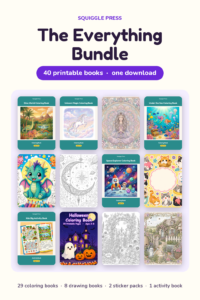
Every Squiggle Press book: 40 printable PDFs for $9.99
Kids coloring books, adult coloring books, drawing tutorials & sticker packs. Over $150 if bought separately. Print unlimited copies forever.
Get the bundle →