Some links below are affiliate links. If you buy through them we may earn a small commission at no cost to you.
If you’ve been down the rabbit hole of iPad model names and pencil compatibility charts, you already know: finding the best iPad for coloring is more confusing than it should be. Between storage tiers, screen sizes, and which Apple Pencil actually works with which iPad, it’s easy to end up with decision fatigue before you’ve even opened a coloring app. This guide skips the spec-sheet overwhelm and focuses on what actually matters for coloring, sketching, and digital art — plus a few picks across every budget, so you can find the best iPad for coloring without a headache.
For most families, the best iPad for coloring is the base iPad (A16) paired with the Apple Pencil (USB-C) — it’s affordable, plenty capable for digital coloring apps, and a huge step up from a phone screen. Artists who want the smoothest pencil feel and biggest canvas should look at iPad Air or iPad Pro with Apple Pencil Pro, while families with younger kids may be happier starting with a kid-proof tablet like Fire HD Kids before investing in a full iPad.
The short answer: our pick for the best iPad for coloring
The best iPad for coloring for most people is the standard iPad (A16) paired with the Apple Pencil (USB-C). It’s Apple’s entry-level tablet, but it’s more than capable of running coloring and drawing apps smoothly, and the lower price tier makes it an easy “try it and see” purchase. Keep in mind the base iPad works with the Apple Pencil (USB-C) only — it is not compatible with Apple Pencil Pro, so skip that upgrade if you go this route. If budget isn’t the main concern, iPad Air offers a noticeably better drawing feel for a mid-range price.
Our top picks
- Best overall: Apple iPad (A16) with Apple Pencil (USB-C) — capable, affordable, and great for everyday coloring.
- Best budget: Amazon Fire HD Kids Pro — a sturdy, kid-proof tablet at a fraction of the price.
- Best splurge: Apple iPad Pro with Apple Pencil Pro — the most responsive drawing experience Apple makes.
- Best for kids or beginners: Apple iPad (A16) — simple, durable enough, and easy for new users to pick up.
How to choose the best iPad for coloring
You don’t need to understand every chip name or screen technology to pick the right one. Here’s what genuinely affects how coloring and drawing feel day to day — and what to actually weigh before you spend your money.

Pencil compatibility
This is the single most important thing to check before you buy. Apple’s base iPad (A16) works with the Apple Pencil (USB-C) but not with the Apple Pencil Pro, which only pairs with newer iPad Air, iPad Pro, and iPad mini models. If a stylus is part of your plan, confirm which pencil your chosen iPad supports before adding one to your cart — mismatched pairs can’t be returned-and-swapped as easily as you’d think.
Screen size and portability
A bigger screen gives you more room to color detailed line art and makes layering colors in an app feel less cramped, but it also means a heavier tablet that’s harder for small hands — or tired wrists — to hold up for long stretches. Think about where coloring actually happens in your house: couch, kitchen table, car seat, bed — and let that guide you toward a more compact or a roomier screen.
Storage tier
Coloring and drawing apps themselves are small, but the files you create — layered illustrations, high-resolution exports, downloaded coloring page PDFs — add up. An entry-level storage tier is fine for casual coloring; a mid-range or premium tier makes sense if you (or your kid) plan to save, export, or print a lot of finished work.
Who’s actually using it
A tablet for a 6-year-old’s after-school coloring habit has very different needs than one for a teenager building a digital art portfolio. Durability, a protective case, and simplicity matter more for younger kids; pencil pressure sensitivity and screen size matter more for older kids and adults doing detailed work.
Budget and longevity
Entry-level iPads are genuinely good for coloring, but if you’re buying for an older kid or a budding artist who’ll grow into more advanced apps, a mid-range option may save you from an upgrade in a year or two. On the other hand, if you’re not sure digital coloring will stick, starting cheap is the smarter bet.
App compatibility and ecosystem
One thing a lot of guides skip over: the best iPad for coloring is only as good as the apps running on it. Apple’s App Store has a deep bench of coloring and illustration apps — from simple, kid-friendly coloring book apps to full illustration suites like Procreate — and nearly all of them run well even on the entry-level iPad. This is a real advantage over some budget Android tablets, where app selection and pencil support can be hit or miss. If your family already uses specific apps on a phone or another tablet, it’s worth double-checking they’re available (and well-reviewed) on iPadOS before you commit to a particular model.
Battery life for long coloring sessions
Coloring sessions have a way of running long, especially when a kid gets absorbed in a detailed page or an adult is unwinding after a stressful day. All current iPads offer solid all-day battery life for typical use, but larger screens and more demanding apps (think layered illustration work) will drain a battery faster than a simple coloring book app. If marathon sessions are the norm in your house, it’s worth keeping a charging cable within reach rather than assuming the battery will outlast the creative streak.

Best iPad for coloring: top options by budget
Here are the specific models worth considering, organized from most affordable to most premium. We’ve also included a non-iPad kid-tablet option, since not every family wants to hand an expensive device to a seven-year-old.
Apple iPad (A16)
Best for: Families and casual artists who want a reliable, all-purpose tablet that also happens to color beautifully.
Why it’s a good pick: It’s Apple’s entry-level model, so it’s the most accessible way into the iPad ecosystem, and it runs every major coloring and drawing app smoothly. Pair it with the Apple Pencil (USB-C) for a responsive, natural-feeling coloring experience — just remember this iPad does not support Apple Pencil Pro.
Skip it if: You want the absolute smoothest pencil responsiveness or plan to do professional-grade illustration work; in that case, look higher up the lineup.
Apple iPad Air
Best for: Older kids, teens, and adults who color or draw often and want a noticeable step up in feel.
Why it’s a good pick: iPad Air sits in the mid-range price tier and supports Apple Pencil Pro, which adds features like pressure sensitivity and tilt detection that make shading and blending in digital coloring apps feel more like real media.
Skip it if: You’re buying for a younger child who’s just starting out — the base iPad (A16) will do the job for less.
Apple iPad Pro
Best for: Serious hobbyists or anyone who wants their iPad to double as a full digital art studio.
Why it’s a good pick: iPad Pro sits at the premium tier and is known for its best-in-class display and pencil responsiveness when paired with Apple Pencil Pro — the closest digital coloring gets to the feel of pencil on paper.
Skip it if: Coloring is a relaxing hobby rather than a daily practice; the price tier is hard to justify for occasional use.
Apple iPad mini
Best for: Kids and travelers who want something lightweight enough to hold for long coloring sessions, or to toss in a backpack.
Why it’s a good pick: Its compact size makes it easy for smaller hands to hold steady, and it still supports a compatible Apple Pencil for real drawing precision in a smaller package — handy for car rides or waiting rooms.
Skip it if: You want maximum screen real estate for detailed mandala or landscape coloring pages — a bigger screen will feel more comfortable.
Amazon Fire HD Kids Pro
Best for: Younger kids (and budget-conscious parents) who want a dedicated coloring and drawing tablet without iPad-level cost.
Why it’s a good pick: It comes with a kid-proof case built to survive drops, plus a trial of Amazon Kids+ that includes creative apps. It’s a low-stakes way to see whether your child actually enjoys digital coloring before investing in a pricier device.
Skip it if: Your child is already an enthusiastic, detail-oriented artist — the drawing experience won’t match a true iPad with a precision pencil.
iPad vs. paper: do you even need one?
Here’s the honest parent-to-parent truth: a tablet is a fantastic addition to a coloring routine, but it’s not a replacement for the real thing. Paper coloring still wins on screen-free time, fine motor practice, and the simple joy of a finished page you can tape to the fridge. Creative, hands-on play remains an important part of early development alongside any screen-based activities. Many families land on a mix: an iPad for digital exploration, and a stack of printed pages for hands-on time.

If you’re building that paper side of the routine, our free printable coloring pages library is sorted by theme and makes a nice complement to screen time. And if your family is already coloring on an iPad, our guide to coloring pages on iPad covers the apps and setup in more detail.
Accessories that actually matter
Once you’ve chosen the best iPad for coloring for your household, a few accessories make a real difference in how comfortable and durable the setup is day to day.
- A compatible stylus: Confirm it matches your iPad generation — this is the detail people get wrong most often.
- A protective case: Especially for kids; a drop-resistant case with a built-in stand makes coloring sessions more comfortable and the device more durable.
- A matte screen protector: Many artists find a textured, paper-like screen protector makes a glass screen feel more like drawing on paper, improving pencil grip and control.
- A stylus tip replacement pack: Pencil tips wear down faster than people expect, especially with heavy daily use; a spare pack saves you from a mid-project scramble.
- A keyboard case (optional): Not essential for coloring, but handy if the same iPad doubles as a homework or note-taking device for older kids.

For kids who split their time between a screen and physical art supplies, it’s also worth checking out our picks for art supplies for tweens and our best lamp for coloring guide — good lighting matters whether the page is paper or pixels.
Comparison table
| Option | Best for | Price tier | Standout strength |
|---|---|---|---|
| Apple iPad (A16) | Everyday coloring and drawing | Entry-level | Affordable, runs all major coloring apps well |
| Apple iPad Air | Frequent artists, older kids and teens | Mid-range | Supports Apple Pencil Pro for pressure and tilt |
| Apple iPad Pro | Serious hobbyists and digital art | Premium | Best-in-class display and pencil responsiveness |
| Apple iPad mini | Travel and smaller hands | Mid-range | Lightweight, compact, pencil-compatible |
| Amazon Fire HD Kids Pro | Younger kids, budget-first families | Budget | Kid-proof case and included creative apps trial |
A few setup tips once you’ve picked your iPad
Whichever iPad you land on, a few small habits make digital coloring sessions go more smoothly. Set up a dedicated art folder so finished pieces don’t get lost among photos. Turn on “reduce motion” in accessibility settings if a younger artist finds animations distracting while coloring. And if your child alternates between the iPad and physical books, keep a stack of printed coloring books nearby so screen time naturally tapers into hands-on time.

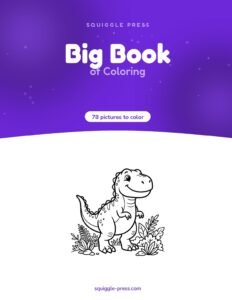
For hands-on options, our Big Book of Coloring is a coil-bound, single-sided printed book with 78 pictures — perfect for markers since nothing bleeds through to the next page. Dinosaur lovers often gravitate toward our Dinosaur Coloring Book, while adults looking for a relaxing paper-based break from screens tend to enjoy Botanical Gardens.
A quick word on screen time and balance
It’s worth saying plainly: choosing the best iPad for coloring doesn’t mean coloring has to become a screen-time activity by default. Plenty of families use the iPad as one option among several, rotating it with paper coloring books, craft supplies, and outdoor play. If you’re worried about a tablet becoming the only creative outlet in the house, simple guardrails help — a timer for app sessions, a rule that paper coloring happens first, or simply keeping the iPad in a shared space rather than a bedroom. None of this means the iPad is a bad choice; it just means the best iPad for coloring works best as part of a bigger creative rotation, not a replacement for it.
Common questions about choosing an iPad for coloring
A few more things worth knowing before you check out.
Does the best iPad for coloring require a pencil?
No — plenty of coloring apps work fine with a finger, and younger kids especially do well without a stylus at first. A pencil becomes more valuable as detail and shading needs increase, which is often an argument for starting with the base iPad (A16) and adding a compatible pencil later.
Is a tablet better than a phone for coloring apps?
Generally yes — the larger screen gives more room to see fine linework and makes precise coloring far less fiddly than on a phone screen, especially for detailed designs like mandalas or botanical illustrations.
Balancing screen-based creative tools with hands-on, offline activities makes sense for young children. That’s part of why many families keep both a tablet and a basket of printed pages in rotation — our non-toy gift ideas list has more screen-free inspiration if you’re building out that side of things.
How much should I expect to spend on the best iPad for coloring?
Budgets vary widely by family, but a workable range is: entry-level iPad plus a compatible pencil for a starter setup, mid-range iPad Air for a frequent young artist, or a budget-friendly kid tablet like Fire HD Kids Pro if you’re not ready to commit to iPad-level pricing yet. None of these options are “wrong” — the right choice depends entirely on how often coloring actually happens in your house and who’s doing it.
Bringing it all together
There’s no single best iPad for coloring for every household — it really comes down to who’s using it, how often, and whether a stylus is part of the plan. For most families, the base iPad (A16) with a compatible Apple Pencil (USB-C) hits the sweet spot of price and performance. Serious young artists may be worth the splurge on iPad Air or iPad Pro, and families easing a younger child into digital coloring might start with something like Fire HD Kids Pro before committing to a full iPad at all.
Whatever you choose, remember that the best iPad for coloring is really just one tool in a bigger creative toolkit — the screen-free stack of paper and markers still matters just as much.
We hope this made the decision a little less overwhelming. Whichever route you take — or if you decide to keep things lower-tech for now — we’re always rooting for more color in your week, screen or paper. Happy coloring!
best ipad for coloring — FAQ
What is the best iPad for coloring on a budget?
The standard Apple iPad (A16) is the most budget-friendly iPad option that still handles coloring and drawing apps well. For an even lower price tier, a kid-focused tablet like Amazon Fire HD Kids Pro is a solid starting point.
Does the base iPad work with Apple Pencil Pro?
No. The base Apple iPad (A16) works only with the Apple Pencil (USB-C), not the Apple Pencil Pro. Apple Pencil Pro requires a newer iPad Air, iPad Pro, or compatible iPad mini.
Do kids need an iPad to color digitally?
Not necessarily. Kid-oriented tablets like Fire HD Kids or Fire HD Kids Pro offer kid-proof cases and parental controls at a lower price tier, making them a gentler entry point before investing in a full iPad.
Is a bigger iPad screen better for coloring detailed pages?
Generally yes – a larger screen gives more room to see and color fine linework, like mandalas or botanical designs, comfortably. The tradeoff is a heavier, less portable device, so it depends on where and how coloring happens most.
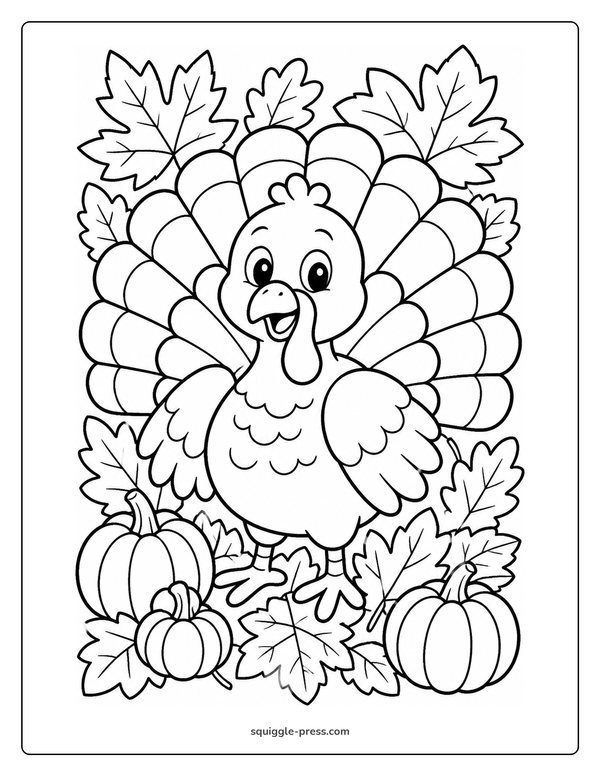
Every Squiggle Press book: 40 printable PDFs for $9.99
Kids coloring books, adult coloring books, drawing tutorials & sticker packs. Over $150 if bought separately. Print unlimited copies forever.
Get the bundle →