Some links below are affiliate links. If you buy through them we may earn a small commission at no cost to you.
If you have been scrolling through options wondering which Cricut should I buy, you are not alone. Cricut makes three main lines: Joy, Explore and Maker. They all cut paper, vinyl and other materials for cards, labels, decals and more, but they differ in price, power and what they can handle. Here is a straight comparison to help you pick the right one the first time.
If you just want quick cards, labels and small vinyl projects, get the Cricut Joy. If you want one machine that handles paper, vinyl, iron-on and most craft projects without a big learning curve, get the Cricut Explore. If you plan to cut leather, thick wood, fabric or dense materials regularly, get the Cricut Maker.
The short answer
If your projects are small and simple, like greeting cards, gift tags or small vinyl decals, get the Cricut Joy. It is compact and easy to set up, but it is not built for big sheets of paper or heavy-duty materials.
If you want one machine that covers most craft projects without a steep learning curve, get the Cricut Explore. It is the pick that fits the widest range of people: scrapbookers, party planners, small shop owners and parents making classroom projects.

If you plan to work with tougher materials on a regular basis, like leather, thick chipboard, matboard or certain fabrics, get the Cricut Maker. It costs more and has more going on, but it earns that cost if you actually need the extra cutting force and tool options.
Cricut Joy vs Explore vs Maker at a glance
| Factor | Cricut Joy | Cricut Explore | Cricut Maker |
|---|---|---|---|
| Price tier | Budget | Mid-range | Premium |
| Best for | Beginners, small projects | Most crafters, all skill levels | Experienced crafters, tough materials |
| Ongoing costs | Mats, blades, materials | Mats, blades, materials | Mats, blades, tool heads, materials |
| Materials it handles | Lighter paper, vinyl, small projects | Cardstock, vinyl, iron-on, many everyday materials | Everything Explore does, plus leather, matboard, some fabrics |
| Durability | Fine for light, occasional use | Holds up well for regular crafting | Built for frequent, heavier use |
| Setup | Simple, minimal steps | Straightforward, a bit more to learn | More involved, more tool swaps |
| What people like | Small footprint, easy to start | Good balance of price and ability | Handles jobs other machines can’t |
| What annoys people | Outgrown quickly if projects grow | Not enough force for the toughest materials | Costs more, more accessories to buy |
Cricut Joy: small jobs, small footprint
The Joy is the smallest and least expensive machine in the lineup. It suits anyone whose projects stay small: birthday cards, name labels, simple vinyl stickers, small iron-on designs. If you are crafting at a kitchen table with limited storage space, the compact size is a real plus.
Where it falls short is scale. It does not work with full sheets of cardstock or larger mats, so if your plans grow into posters, big banners or full-page layouts, you will hit a wall fast. Think of the Joy as a machine for frequent small tasks, not a do-everything crafting station.

Cricut Explore: the all-around pick for most crafters
The Explore line is the one most people should buy if they are not sure yet what they will use it for most. It cuts a wide range of everyday materials, from cardstock to vinyl to iron-on, and it is flexible enough to grow with you as your projects get more ambitious.
Setup takes a bit more patience than the Joy, since you are working with more material types and settings. But the learning curve is manageable, and most tutorials and online communities are built around this line, so help is easy to find when you get stuck.
The one thing the Explore will not do well is tough, thick material. If you try to push it into leather or heavy chipboard territory, you will be frustrated. That is where the Maker line takes over.
Cricut Maker: for tougher materials and bigger projects
The Maker line is built for people who already know they need more cutting force. It can handle thicker and denser materials that the Joy and Explore cannot, including leather, matboard and certain fabrics, and it supports swappable tool heads for more specialized jobs like engraving or scoring.
This is not the machine to buy “just in case.” It costs more upfront, and the accessories, extra tool heads and specialty mats add up. If you are not sure you need that extra power yet, start with the Explore and upgrade later if your projects demand it.

Costs and upkeep: what to expect at each tier
None of these machines are a one-time purchase. Mats wear out, blades dull, and materials get used up. Here is roughly what ongoing costs look like by tier:
- Budget tier (Joy): Smaller mats and blades cost less individually, but you may replace them more often if you are doing frequent small projects. Materials stay cheap since projects are small.
- Mid-range tier (Explore): Standard mats, blades and a wider range of materials. This is the most “normal” cost structure: predictable, not too specialized.
- Premium tier (Maker): On top of mats and blades, you may add specialty tool heads for engraving, scoring or deep cutting, plus pricier materials like leather or matboard. The upkeep cost scales with how far you push the tougher materials.
Whatever tier you land on, factor in that you will be buying materials on an ongoing basis, not just the machine itself.
Which should you buy?
Get the Cricut Joy if you make small, simple projects like cards and labels and want the smallest, easiest machine to start with.
Get the Cricut Explore if you want one machine that handles most craft materials without a steep learning curve or a big price jump.
Get the Cricut Maker if you already know your projects involve tougher materials like leather, thick matboard or fabric, and you want the extra cutting force and tool options.
Skip buying any of them for now if you are not sure you will use it regularly. A cutting machine sits unused fast if the hobby does not stick, so it is fine to wait until you have a specific project in mind.

If you want to color instead of cut
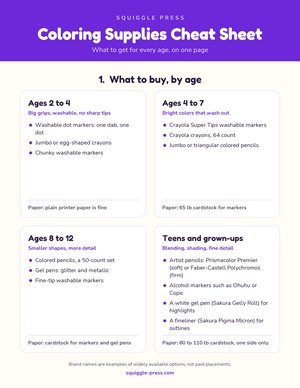
Not every craft project needs a machine. If you are looking for something simpler to hand a kid or set out on the table, our free printable coloring pages library has thousands of free pages you can print right away. The construction truck coloring pages are a favorite with younger kids, including the bulldozer page and the cement mixer page. For adults who want something quieter than a craft machine, the celestial coloring pages are a nice place to start, including the crescent moon page.
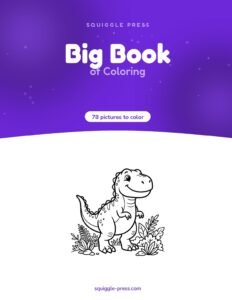
If you want a printed book instead of loose pages, our own Big Book of Coloring is a coil-bound book with 78 pictures for kids 4 to 8, printed one-sided so markers do not bleed through to the next page. For grown-ups, Celestial Dreams is our printed, coil-bound adult coloring book.
Once you have pages to color, the right paper and markers matter more than people expect. Our guide on which paper stops markers from bleeding through and our roundup of markers for coloring books cover both ends of that problem. If you are printing your own pages at home and want them bound into a real book, see our walkthrough on how to bind a printable coloring book at home.
For more on choosing safe art supplies for kids, a pediatric health resource like healthychildren.org is a good place to check before buying craft tools for younger children.
Whatever you land on, the best machine or the best set of markers is the one that actually gets used. Start with what matches the projects you have right now, not the ones you might do someday.
Frequently asked questions
Which Cricut should I buy as a beginner?
Most beginners do best with the Cricut Explore line. It handles the widest range of everyday materials without the price jump or extra tools the Maker line brings.
Is the Cricut Joy worth it?
The Joy is worth it if your projects are small: cards, gift tags, labels, simple vinyl decals. It is not built for larger mats or full sheets of cardstock, so heavier crafters usually outgrow it.
What is the difference between Cricut Explore and Cricut Maker?
The Explore line covers most common craft materials like cardstock, vinyl and iron-on. The Maker line adds stronger cutting force and swappable tools, so it can handle thicker or tougher materials like leather, matboard and some fabrics.
Do I need to buy Cricut-brand vinyl and cardstock?
No. Cricut machines cut many third-party papers, vinyls and iron-on sheets. Cricut-brand materials are tested to work well with their mats and settings, but they are not the only option.
Does a Cricut need internet access to work?
You need internet access to design in Cricut’s software and send a cut file to the machine, but the machine itself does not need to stay connected once it starts cutting.
Every Squiggle Press book: 40 printable PDFs for $9.99
Kids coloring books, adult coloring books, drawing tutorials & sticker packs. Over $150 if bought separately. Print unlimited copies forever.
Get the bundle →