If you’ve ever hit “print” on a cute coloring page only to watch it come out gray, blurry, or shrunk to the size of an index card, you’re not alone. Learning how to print coloring pages the right way makes a bigger difference than you’d think — the same free PDF can look washed-out and sad or crisp and inviting, all depending on a few small settings. In this guide, we’ll walk through exactly how to print coloring pages at home so they look great, hold up to markers, and get colored instead of tossed aside. We’ll also cover paper choices, troubleshooting, and where to find pages worth printing in the first place.
The Short Answer: How to Print Coloring Pages in Under a Minute
To print coloring pages at home: download a high-resolution PDF, open it in a PDF reader (not your browser, if you can help it), set your printer to “Actual Size” or 100% scale, choose the highest quality/photo setting, and use plain printer paper for crayons or 24-32lb paper for markers. That’s the whole trick. The rest of this article covers the details — paper choice, printer settings, troubleshooting faded prints, and where to find pages worth printing.
Once you understand the logic behind these settings, you’ll never have to guess again. Every printer is a little different, but the underlying principles of how to print coloring pages well stay the same across brands and models — it’s mostly about resolution, scaling, and paper.
What You Need Before You Start
Before we get into settings, let’s make sure you’ve got the right tools on hand. Printing coloring pages doesn’t require anything fancy, but a couple of small choices will save you a lot of frustration later.
- A home inkjet or laser printer — either works fine for line art.
- A PDF coloring page — from a free download or a purchased printable.
- Paper — plain copy paper works for crayons; heavier paper is better for markers or watercolor.
- A PDF viewer app — Adobe Reader, Preview, or your phone’s Files app.
If you’re not sure where to start, our free coloring pages library is a great low-stakes place to practice your printer settings before committing to a paid pack. It’s also a handy way to test your printer’s quality settings without spending anything, so you can iron out any kinks before printing a whole themed set.
Step 1: Download the PDF (Don’t Screenshot!)
The single biggest cause of blurry prints is trying to print a screenshot or a low-res image pulled from a search results page. Always download the actual file — usually a PDF — rather than saving a preview thumbnail. Coloring pages designed for printing are typically built at 300 DPI (dots per inch), which is the resolution needed for crisp lines. A screenshot, by comparison, might only be 72-96 DPI, which looks fine on a screen but turns fuzzy on paper.
When people ask us how to print coloring pages that actually look good, this is step one, every time: start with a proper high-resolution file, not a random image grab. It sounds obvious, but it’s the single most common mistake we see, and it’s an easy one to fix once you know to look for it.
Step 2: Open It in a PDF Reader, Not Just Your Browser
Browsers are handy for quickly viewing a PDF, but their built-in print tools sometimes auto-scale the page or compress the image before sending it to the printer. For the most reliable results, download the file first, then open it in a dedicated PDF app like Adobe Acrobat Reader (free), Apple Preview, or your phone’s native PDF viewer. These apps give you more control over sizing and print quality — two things that matter a lot when you’re figuring out how to print coloring pages without losing detail.

Step 3: Set the Printer to “Actual Size” or 100%
This is the step most people skip, and it’s the one that causes the most disappointment. Print dialogs often default to “Fit to Page” or “Shrink to Fit,” which can scale your artwork down and leave odd white borders. Look for a scaling option in your print settings and choose:

- “Actual Size” (most PDF readers), or
- “100%” scale, or
- “None” under scaling/fit options
This ensures the coloring page fills the paper exactly as it was designed, edge to edge or with the intended margins intact.
Quick Reference: Print Settings Cheat Sheet
| Setting | Recommended Choice |
|---|---|
| Scale | 100% / Actual Size |
| Paper size | Letter (8.5×11″) or A4, matching the file |
| Print quality | Best / High / Photo |
| Color mode | Color (even for black-and-white line art, this keeps lines dark) |
| Two-sided printing | Off, unless the file is designed for double-sided use |
Step 4: Choose the Highest Print Quality Setting
Most home printers default to a “Draft” or “Normal” quality setting to save ink, which is great for a grocery list but not for line art that kids will trace and color inside. Switch to “Best,” “High,” or “Photo” quality in your printer’s settings menu. It uses a bit more ink, but the lines come out darker and cleaner — easier for little hands (and grown-up hands, too) to color within.
This one tweak solves a huge chunk of the “why does my printed coloring page look faded” complaints we hear from parents figuring out how to print coloring pages for the first time. It’s a simple fix, but it’s easy to overlook if you’ve never dug into your printer’s quality menu before.
Step 5: Pick the Right Paper for the Job
Paper choice depends entirely on what your child (or you) will color with. Here’s a simple breakdown:
| Coloring Tool | Best Paper | Why |
|---|---|---|
| Crayons | Standard 20lb copy paper | Crayons don’t need heavy paper; cheap and replaceable |
| Colored pencils | 24-32lb paper | Slightly sturdier surface holds up to pressure |
| Washable/water-based markers | 28-32lb or cardstock | Resists warping and bleed-through |
| Alcohol-based markers | Marker-specific or mixed media paper | Prevents ghosting and bleed onto the table |
If markers are your household’s tool of choice, our guide on alcohol markers vs. water-based markers goes deeper into which paper and marker combos work best for different ages and skill levels.
Step 6: Consider Reusable or Laminated Options
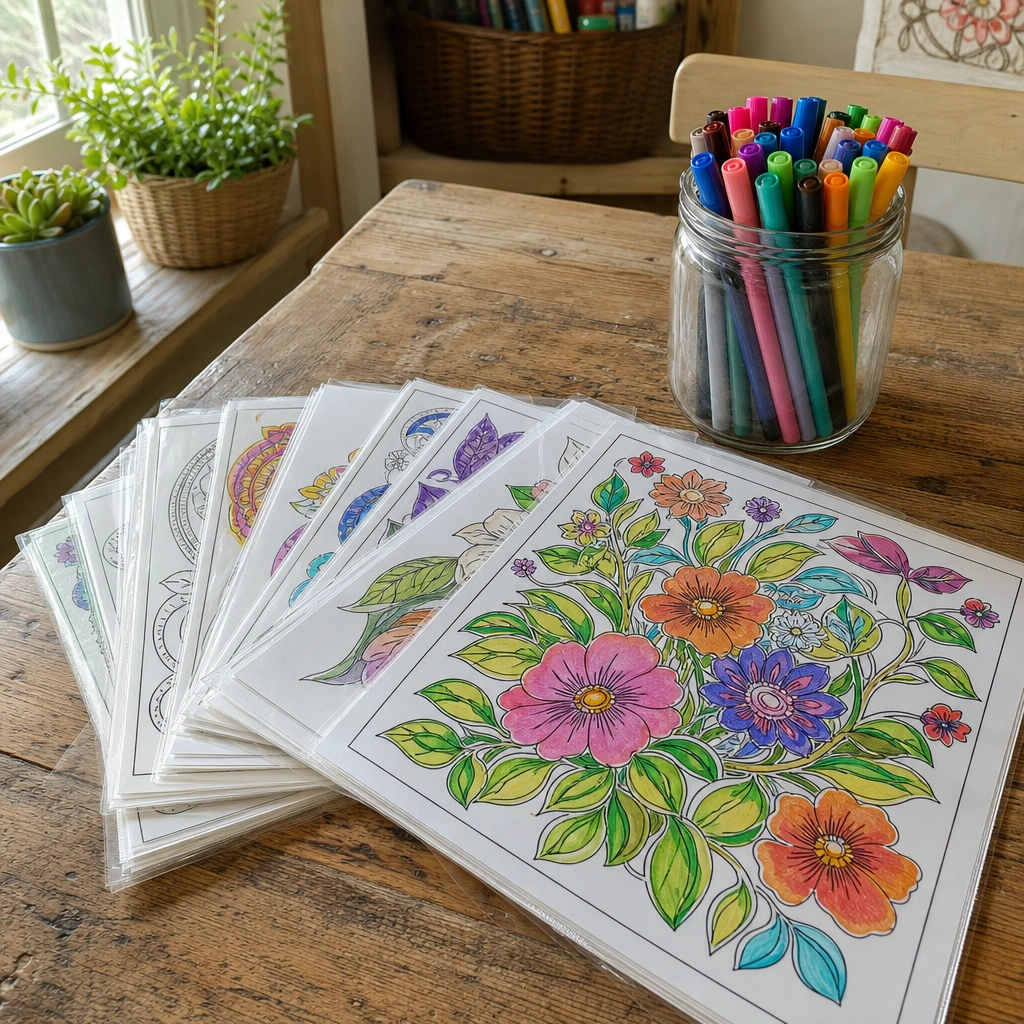
If you’re printing constantly (hello, rainy afternoons), it might be worth setting up a reusable system. Laminating a favorite page — or slipping it into a plastic sleeve — lets kids color with washable markers, wipe it clean, and start over. It’s a small setup that saves paper and ink over time, and it’s especially handy for road trips or waiting rooms. We break down exactly how to do this in our post on reusable coloring pages.
Step 7: Troubleshoot Common Printing Problems
Even with the right settings, printers can be moody. Here are the most common issues people run into when learning how to print coloring pages, and quick fixes for each:
- Lines look faded or gray: Check that print quality is set to “Best” or “High,” and confirm your ink or toner cartridges aren’t running low.
- Page prints off-center or cropped: Make sure paper size matches the document size (Letter vs. A4), and scaling is set to 100%.
- Colors look washed out on a color page: Some printers apply an “eco” or “ink-saving” mode by default — turn this off for coloring pages.
- Printer says “out of paper” but there’s paper loaded: Re-seat the paper tray and check for a stuck sheet jammed further inside.
- PDF won’t open at all: Try a different PDF app, or update your current one — older versions sometimes struggle with newer file formats.
If you’ve tried everything above and prints still look off, it’s worth checking your printer’s ink levels and running a built-in cleaning cycle. A clogged print head can mimic the symptoms of wrong settings, and a quick cleaning cycle often solves it in a couple of minutes.
How Many Coloring Pages Should You Print at Once?
It’s tempting to print an entire 20-page coloring book in one go, but we usually suggest printing just a few pages at a time — enough for one sitting, plus a spare. This keeps paper and ink use manageable and lets you gauge which pages a child actually gravitates toward before committing an entire ream of paper. For a themed collection, printing 3-5 pages per session works well for most kids.
According to the American Academy of Pediatrics, open-ended creative activities like coloring support fine motor skill development and self-expression in young children, so there’s real value in giving kids a steady, unhurried supply rather than a giant one-time stack (healthychildren.org).
Printing in small batches also gives you a natural opportunity to rotate themes. Instead of handing over a whole book at once, try printing a handful of pages tied to the season, a favorite animal, or an upcoming holiday. It keeps the activity feeling fresh and gives you a reason to revisit your printer settings regularly, which helps them stick in your memory.
Where to Find Coloring Pages Worth Printing
Once your printer settings are dialed in, the fun part is choosing what to print. A few ideas to get started:
- Our free coloring pages collection is a no-risk way to test your setup.
- Browse the full shop for themed printable coloring books and step-by-step drawing tutorials — all instant PDF downloads starting at $1.99.
- If you’re picking pages for a specific age group, our coloring pages by age guide helps match complexity to skill level.
A few of our own printables that print beautifully on standard paper and hold up well to markers:
- Magical Unicorns Coloring Book ($1.99, instant PDF download) — bold, clean lines that print crisply even on plain paper.
- Ocean Friends Coloring Book ($1.99, instant PDF download) — a favorite for younger colorers.
- Vintage Botanical Plates Adult Coloring Book ($1.99, instant PDF download) — intricate detail that benefits hugely from a “Best” quality print setting.

Printing for Special Occasions and Trips
Once you’ve got the printing process down, it’s easy to build a little library for different moods and moments. Holiday-themed pages are a great example — printing a batch of Thanksgiving coloring pages or Halloween coloring pages ahead of time means you’re ready the moment the mood strikes, rather than scrambling last minute. The same printer settings from this guide apply no matter the theme.
Coloring pages also travel well once printed. If you’re planning a long car ride, a stack of freshly printed pages plus a small pencil case is one of the simplest low-mess activities you can pack. Our road trip activities for kids post has more ideas for keeping everyone entertained on the go.
Keeping a small folder of pre-printed pages in the car, a backpack, or a “waiting room bag” means you’re never caught without an activity. Once you know how to print coloring pages efficiently, restocking that folder takes just a couple of minutes every week or two.
A Note on Ink and Budget
Printing coloring pages at home is generally far cheaper than buying pre-printed activity books, but ink can add up if you’re printing frequently. A few budget-friendly habits:
- Print in black-and-white/grayscale mode for line art (color mode is only necessary if the page itself has color).
- Buy larger ink cartridges or subscribe to an ink refill service if you print often.
- Reuse pages with lamination for markers, as mentioned above.
- Print double-sided for reference sheets or instructions, single-sided for the actual coloring pages.
Once you’ve mastered how to print coloring pages efficiently, the cost per page ends up being just a few cents — often less than a cup of coffee for an entire themed set. Over a year of regular use, that adds up to real savings compared to buying pre-printed books at a store.
For Grown-Ups Too: Printing Adult Coloring Pages
Everything above applies just as well to adult coloring books, though a few details matter more at that level of detail. Intricate mandalas or botanical illustrations benefit hugely from “Best” or “Photo” print quality, since fine lines can blur at lower settings. Slightly heavier paper (24-32lb) also helps prevent see-through when coloring both sides of a sheet.
If stress relief is part of why you’re coloring, our post on the best coloring pages for stress pairs nicely with a freshly printed, high-quality page — the two work best together. For a calming, detailed option to try your new settings on, the Mandala Magic Adult Coloring Book ($1.99, instant PDF download) is a popular pick among our readers.
Simple Habits That Keep Every Print Job Consistent
Once you’ve dialed in your ideal settings, it’s worth writing them down or saving them as a preset if your printer software allows it. Many printers let you save a custom print profile — call it “Coloring Pages” — so you don’t have to re-adjust scale, quality, and paper type every single time. This is one of the easiest ways to make sure everyone in the house gets the same great results, whether it’s you, your partner, or an older kid printing their own pages.
It’s also worth doing a quick test print on plain paper before running a big batch, especially with a new file or a printer you haven’t used in a while. A single test page can catch scaling issues, low ink, or paper jams before they turn into a wasted stack of cardstock. This habit alone accounts for a lot of the difference between someone who occasionally struggles with printing and someone who has genuinely figured out how to print coloring pages without a second thought.
Frequently Asked Questions About How to Print Coloring Pages
Can I print coloring pages on regular printer paper?
Yes — regular 20lb copy paper is perfectly fine for crayons and colored pencils. It’s only markers and paints that benefit from heavier paper.
Why do my printed coloring pages look pixelated?
This usually means the original file was low-resolution, or was scaled up beyond its actual size. Stick to properly formatted PDFs designed for printing.
Should I print coloring pages in color or grayscale mode?
For black-and-white line art, grayscale is fine and saves ink. Just make sure the quality setting stays high so lines print dark and clean rather than light gray.
How do I know how to print coloring pages so they fit standard paper?
Check that your printer’s paper size matches the PDF’s page size (usually Letter or A4), and keep scaling at 100% — this avoids the file being shrunk or cropped.
What’s the easiest way to print coloring pages for a whole classroom or party?
Save your ideal settings as a print profile, then print in small batches of 10-15 pages at a time. This keeps the printer from overheating on long jobs and makes it easy to catch a paper jam or ink issue before it affects the whole set.
Wrapping Up: How to Print Coloring Pages Like a Pro
Once you know how to print coloring pages properly — the right file, the right settings, the right paper — the whole process takes less than a minute per page and the results actually look worth coloring. It’s a small skill, but it makes a noticeable difference in how much kids (and adults) enjoy the finished product. Test your settings on a free page first, then build up your own printable library from there.
Ready to print some fun?
Browse our printable coloring books, drawing tutorials & sticker packs — instant PDF downloads from $1.99, plus totally free tutorials to try first.

Every Squiggle Press book — 40 printable PDFs for $9.99
Kids coloring books, adult coloring books, drawing tutorials & sticker packs. $160 value. Print unlimited copies forever.
Get the bundle →