Some links below are affiliate links. If you buy through them we may earn a small commission at no cost to you.
The best mini photo printer depends on what you want to do with the prints. A pocket ZINK printer like the Canon Ivy 2 makes small sticky-backed photos for a phone case or journal in seconds. A dye-sublimation printer like the Liene Pearl N200 Pro makes bigger 4×6 prints that hold up better over time. If you want kids to shoot and print on the spot with no phone at all, an instant camera like the Kodak Mini 2 Retro or Polaroid Hi-Print 2×3 fits that better.
The best mini photo printer for most phones is the Canon Ivy 2, a pocket-size ZINK printer that makes 2×3 sticky prints with no ink. If you want sharper, longer-lasting 4×6 prints for a scrapbook or gallery wall, the Liene Pearl N200 Pro or Kodak Dock Plus use dye-sublimation instead.
The short answer
For most families, the Canon Ivy 2 is the easiest pick: small, cheap per print, and it pairs with a phone app in minutes. If budget is the main thing, the Kodak Mini 2 Retro gets you into ZINK printing without spending much, and it comes with a built-in mirror for selfies that kids actually enjoy. For bigger prints meant to last in an album, skip the pocket printers and look at dye-sublimation instead.
Our picks at a glance
| Pick | Best for | Price tier |
|---|---|---|
| Canon Ivy 2 | Casual phone printing, stickers | Budget |
| Fujifilm Instax Mini Link 3 | Fun app filters and teens | Mid-range |
| HP Sprocket 2×3 | Simple sticky prints on the go | Budget |
| Kodak Mini 2 Retro | Tight budgets, built-in mirror | Budget |
| Polaroid Hi-Print 2×3 | Polaroid app fans | Mid-range |
| Liene Pearl N200 Pro | Scrapbooking, sharper 4×6 prints | Mid-range |
| Kodak Dock Plus 4×6 | Album-ready prints, longevity | Mid-range |
| Canon Selphy QX20 | Square dye-sub prints | Mid-range |
| Kodak Step Instant Smartphone Printer | Hybrid camera plus printer for kids | Budget |
How we picked
None of these were tested in-house. Here is what you can check yourself on each product’s own listing or maker page before you buy:
- Print technology: ZINK (no ink, heat-activated paper), dye-sublimation (uses ribbon and gets closer to true photo quality), or instant film (develops like a classic instant camera).
- Print size: pocket 2×3 inch versus full 4×6 inch versus square formats.
- Connectivity: Bluetooth versus Wi-Fi, and whether it needs a specific app to work at all.
- Paper cost per print: check the price of a refill pack and divide by the sheet count, since this varies a lot between ZINK and dye-sub.
- Water and smudge resistance: look for a stated coating or lamination layer on the maker’s page.
- Age guidance: some models are marketed for teens and up; others are built sturdier for younger hands.
Pocket ZINK printers for everyday phone prints
These are the smallest, lightest printers in this guide. They use ZINK paper, which has no ink cartridge at all: the color is baked into the paper itself and heat brings it out. Prints are sticky-backed, so they peel and stick straight onto a notebook or locker door.

Canon Ivy 2
Best for: quick, casual prints straight from a phone.
Why it’s a good pick: It is small enough to toss in a bag, pairs over Bluetooth, and the companion app has simple filters and borders that kids can use without help. The sticky-backed 2×3 paper works well for scrapbooks and phone case decorating.
Skip it if: you need all-day use away from a charger. The battery is good for a short burst of prints, maybe around 20 before it needs a recharge, so carry the cable if you are out for the day.
Fujifilm Instax Mini Link 3
Best for: teens who want more editing control before they print.
Why it’s a good pick: The companion app leans into creative extras: collage layouts, fun filters, and the option to print a short video as a scannable code on the photo. It uses genuine Instax Mini film, so the retro white-bordered look matches actual Instax cameras.
Skip it if: you want the cheapest per-print cost in this guide. Instax film tends to run pricier than plain ZINK paper.
HP Sprocket 2×3
Best for: no-fuss sticky prints without a learning curve.
Why it’s a good pick: Setup is about as simple as pocket printers get, and the Sprocket app covers the basics: crop, filter, print. It is a reliable second printer if you already own a Sprocket photo album made for the 2×3 format.
Skip it if: you want Wi-Fi Direct range or a large library of creative templates. It sticks to the fundamentals.
Kodak Mini 2 Retro
Best for: stretching a gift budget without giving up ZINK printing.
Why it’s a good pick: It costs less than most pocket printers here and still makes full-color 2×3 ZINK prints. The round retro shape has a small built-in mirror on front, which makes it genuinely fun for selfie-taking before you print.
Skip it if: color accuracy matters to you. Budget ZINK printers in general can run a little inconsistent on skin tones compared to dye-sub.
Polaroid Hi-Print 2×3
Best for: families already using the Polaroid app for digital photos.
Why it’s a good pick: It connects to the Polaroid app you may already have on your phone, and the round printer body is easy for smaller hands to hold steady while it works. Prints share the same 2×3 sticky format as the other ZINK printers here.
Skip it if: you want the Polaroid name to mean instant film. This is a ZINK printer, not a film camera.

Dye-sublimation printers for bigger, longer-lasting prints
Dye-sub printers use a ribbon and heat to layer color onto paper, then seal it with a protective coating. Prints run bigger, usually full 4×6, and tend to resist fading and smudging better than ZINK over time. The trade-off is a heavier printer and a paper-and-ribbon pack to restock instead of loose ZINK sheets.
Liene Pearl N200 Pro
Best for: scrapbookers who want sharper color on a bigger print.
Why it’s a good pick: The step up from 2×3 to 4×6 makes a real difference once you’re gluing prints into a scrapbook or journal page. Dye-sublimation tends to hold color better over months than ZINK paper left in a sunny spot.
Skip it if: portability is the top priority. It is bulkier than any pocket printer in this guide.
Kodak Dock Plus 4×6
Best for: printing a photo album’s worth of prints that are meant to last.
Why it’s a good pick: It is built around the same dye-sub process as other 4×6 docks, and the “dock” shape means you set your phone right on top while prints feed out the side, so nothing feels fiddly. Good gift pairing with a photo album or a scrapbook kit.
Skip it if: you need something pocket-size for a backpack or purse.
Canon Selphy QX20
Best for: square-format prints with dye-sub color quality.
Why it’s a good pick: It brings the Selphy line’s dye-sub process to a square print shape, which suits Instagram-style photos better than a rectangular 4×6. It is still small enough to live on a shelf rather than a desk.
Skip it if: you specifically want the classic 4×6 rectangle for a standard photo frame.

Instant cameras and hybrids for kids
These skip the phone step entirely, or combine a camera and printer in one body. That makes them a strong pick for younger kids who want to shoot and hold a photo right away, without you handing over your phone.
Kodak Step Instant Smartphone Printer
Best for: kids who want a simple point-and-print experience.
Why it’s a good pick: It works as a standalone instant camera as well as a printer for phone photos, which gives you two uses in one gift. One thing to know: Kodak Step prints can skew a little reddish, so skin tones sometimes look warmer than true to life.
Skip it if: accurate color is more important to you than the novelty of a hybrid device.
Fujifilm Instax Mini Evo
Best for: an upgrade pick that works as a real camera, not just a printer.
Why it’s a good pick: It is a genuine instant camera with lens and dial controls, plus the option to print phone photos through it, so older kids or teens get a device that grows with them instead of a one-trick printer.
Skip it if: you want the lowest-cost option in this guide. The camera-and-printer combo sits at the premium end.

Mini photo printer comparison
| Product | Type | Best for | Standout strength | Price tier |
|---|---|---|---|---|
| Canon Ivy 2 | ZINK, 2×3 | Casual phone printing | Simple app, true pocket size | Budget |
| Fujifilm Instax Mini Link 3 | Instax film, 2×3 | Teens who like editing | Creative app extras, video codes | Mid-range |
| HP Sprocket 2×3 | ZINK, 2×3 | No-fuss sticky prints | Easiest setup of the pocket picks | Budget |
| Kodak Mini 2 Retro | ZINK, 2×3 | Tight budgets | Built-in selfie mirror | Budget |
| Polaroid Hi-Print 2×3 | ZINK, 2×3 | Polaroid app users | Round shape, easy grip | Mid-range |
| Liene Pearl N200 Pro | Dye-sub, 4×6 | Scrapbooking | Sharper, longer-lasting color | Mid-range |
| Kodak Dock Plus 4×6 | Dye-sub, 4×6 | Album prints | Dock design, phone sits on top | Mid-range |
| Canon Selphy QX20 | Dye-sub, square | Square-format prints | Instagram-style aspect ratio | Mid-range |
| Kodak Step Instant Smartphone Printer | ZINK hybrid camera | Point-and-print kids | Camera and printer in one | Budget |
What to look for in a mini photo printer
- Zink vs dye sublimation: ZINK skips ink entirely and makes small, instant, sticky prints, while dye-sublimation layers color with heat and a ribbon for a bigger, more photo-accurate print that resists fading better. Neither is “better” across the board, it depends on whether you want quick fun prints or album-quality ones.
- Print size: 2×3 pocket prints suit journals, phone cases, and quick sharing. 4×6 and square formats suit frames, albums, and gift-worthy prints.
- Cost per print: check the price of a refill pack on the maker’s own site and divide by sheet count before you buy. ZINK paper and dye-sub paper-and-ribbon packs price out differently, and that adds up over a year of birthday parties and school projects.
- App requirement: nearly every printer in this guide needs its own phone app to send photos over Bluetooth or Wi-Fi. If a reliable app matters to you, check current app store ratings before buying, since those change over time.
- Water and fade resistance: look for a stated laminate or coating layer on the product page. This affects how well a print survives a damp backpack or a sunny windowsill over months.
- Who’s using it: a simple one-button pocket printer suits a younger kid better than an app with a dozen filter menus. For older kids or teens, the editing extras get more use.
Give the prints something to sit next to
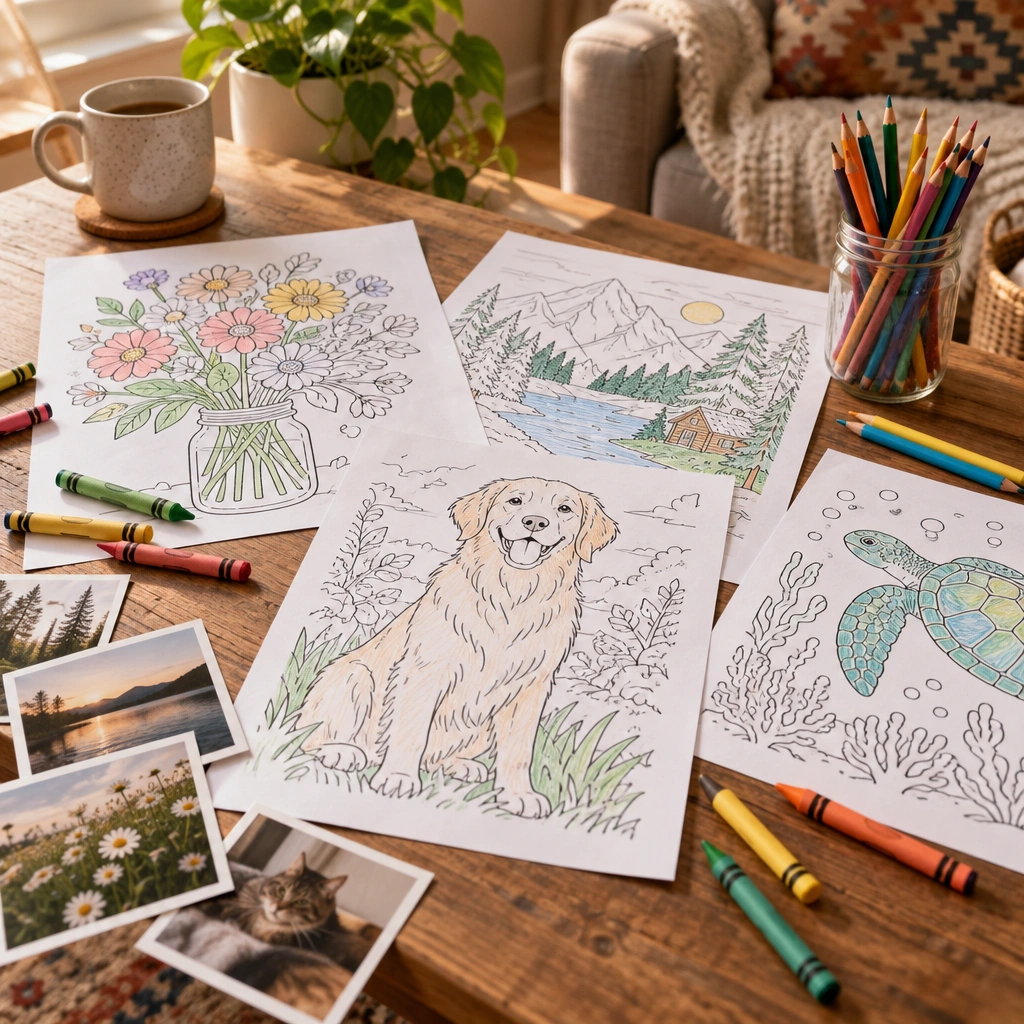
A mini photo printer pairs naturally with a scrapbook, and so does a stack of printed coloring pages. If your kids like gluing printed photos alongside drawings, our free library of printable coloring pages is a good next stop, with thousands of designs they can print at home and mix into the same book. The ocean animal coloring pages hub has a jumping dolphin page that pairs well with beach photos, and if your kid wants to draw their own sea creature freehand next to a printed photo, our how to draw a dolphin tutorial walks through it step by step.
If trucks are more their speed, the construction truck coloring pages hub has a bulldozer page to color next to photos from a job site visit or a birthday party. Browse the full step-by-step drawing tutorials index for more ideas kids can do with just paper and a pencil.
Keeping a scrapbook going after the photos are printed
Once the prints are off the printer, you still need paper that won’t let markers bleed through onto the next page, especially if kids are decorating around the photos. Our guide on paper that stops markers bleeding through covers what to look for. If you want to combine loose printed pages, photos, and drawings into one keepsake, our piece on binding printable pages into a book at home walks through simple options.
For families who print a lot of coloring pages at home already, our guide to printers for coloring pages is worth a look too, since a regular home printer and a mini photo printer solve two different jobs. And if you’d rather skip printing your own pages, our own Big Book of Coloring is a printed, coil-bound book with 78 pictures, printed one-sided so markers never bleed through onto the next page, a nice match for a shelf next to a photo album.
Common questions about mini photo printers
Do mini photo printers need ink? ZINK printers do not use ink at all; the color lives in the paper. Dye-sublimation printers use a ribbon instead of a traditional ink cartridge, so there’s still no mess to spill.
Is Zink better than dye sublimation for photos? ZINK wins on size and speed for small sticky prints. Dye-sublimation wins on color accuracy and print longevity for bigger, frame-worthy prints. Neither is universally better, it depends on the job.
Are instant photo printers waterproof? Most are water-resistant to some degree, meaning a few splashes won’t ruin them, but check the specific product’s care page rather than assuming full waterproofing.
Whatever you end up printing, these little machines turn a phone full of photos into something a kid can actually hold, stick on a wall, or glue into a book. That’s worth more than the specs on any box.
Frequently asked questions
What is the best mini photo printer?
The Canon Ivy 2 is a strong all-around pick for casual phone printing because it is small, affordable, and easy to pair with a phone app. For bigger, longer-lasting prints, a dye-sublimation printer like the Liene Pearl N200 Pro is the better fit.
Do mini photo printers need ink?
No. ZINK printers use heat-activated paper with no ink cartridge at all, and dye-sublimation printers use a ribbon instead of traditional ink.
Is Zink better than dye sublimation for photos?
ZINK is better for small, instant, sticky-backed prints you want fast. Dye-sublimation is better for bigger, more color-accurate prints that resist fading over time.
Which mini photo printer is best for kids?
The Kodak Step Instant Smartphone Printer works well for kids since it doubles as a simple point-and-shoot camera and a printer in one device, no phone required.
How much does it cost per print on a mini photo printer?
Cost per print varies by paper type and brand, so check the price of a refill pack on the maker’s site and divide by the number of sheets before buying.
What size prints do mini photo printers make?
Pocket ZINK printers typically make small 2×3 inch prints, while dye-sublimation docks make larger 4×6 inch or square prints better suited to frames and albums.
Every Squiggle Press book: 40 printable PDFs for $9.99
Kids coloring books, adult coloring books, drawing tutorials & sticker packs. Over $150 if bought separately. Print unlimited copies forever.
Get the bundle →