Some links below are affiliate links. If you buy through them we may earn a small commission at no cost to you.
If you just want one answer: get a keyboard-style label maker, not a phone-only printer, unless you already know you want color labels or saved templates. A keyboard model turns on, lets you type, and prints. That is the whole job for pantry jars, craft bins and classroom supplies.
The best label maker for home use is the Brother P-touch PT-D210: a keyboard model with a simple screen, decent tape width range and widely stocked tape. If you want something cheaper and smaller, the DYMO LetraTag 100H is the budget pick most people land on for pantry jars and bins.
The short answer: our pick for the best label maker for home
The best label maker for home use is the Brother P-touch PT-D210. It has a small screen, a simple keyboard, and tape that is easy to find in craft and office stores. If you want to spend less and do not need extra fonts or borders, the DYMO LetraTag 100H is the budget pick: smaller, simpler, and still fine for jars, bins and file folders.
Our picks at a glance
| Pick | Best for | Price tier |
|---|---|---|
| Brother P-touch PT-D210 | All-around home organizing | Budget to mid-range |
| Brother P-touch PT-D220 | Slightly larger screen and more fonts | Mid-range |
| DYMO LetraTag 100H | Cheapest good keyboard model | Budget |
| DYMO LetraTag 200B | Phone-app labeling with Bluetooth | Mid-range |
| Brother P-touch PT-N10 | One-line simple labels, no fuss | Budget |
| Phomemo D30 | Small thermal sticker printer for crafts | Budget to mid-range |
| NIIMBOT D110 | Fixed-length sticker printing from a phone | Budget |
| Brother P-touch EDGE PT-E110 | Cable and wire labeling | Mid-range |
| DYMO LabelManager 160 | Home office and file folders | Mid-range |
How we picked
This list is built from public, checkable facts about each product line, not from testing in our studio. Here is what we looked at:
- Tip and keyboard type: full QWERTY layout versus ABC layout, and whether there is a small screen to preview text before printing.
- Tape width range: how narrow or wide the tape can go, since pantry jars need less width than binder spines.
- Tape cost and compatibility: whether the tape cartridge is proprietary to that brand and line, and how widely it is stocked.
- Power source: battery-only, adapter-compatible, or rechargeable, since this affects where you can use it.
- Bluetooth or app connection: standalone keyboard versus phone-paired, and what that adds or complicates.
- Stated use case: what the manufacturer markets the model for, such as cable wraps, office filing or craft labeling.
Keyboard label makers for everyday home use
These are the standalone machines: no phone, no app, just type and print. For pantry shelves, craft bins and classroom supply labels, this style is usually the fastest option because there is nothing to pair or charge before you start.

Brother P-touch PT-D210
Best for: general home organizing, from pantry jars to file folders.
Why it’s a good pick: it has a small screen so you can check spelling before you print, a straightforward keyboard, and Brother’s TZe tape line, which is stocked in most craft and office stores.
Skip it if: you want color printing or a phone app. This is a plain, reliable, text-and-symbol machine.
Brother P-touch PT-D220
Best for: the same jobs as the PT-D210, with a bit more font and border variety.
Why it’s a good pick: it shares the same tape family as the PT-D210, so refills are easy to find, and the extra decorative options are handy for labeling kids’ art supply bins where a border or icon helps non-readers sort by shelf.
Skip it if: you only care about plain text labels. The PT-D210 does that job for less.
DYMO LetraTag 100H
Best for: the cheapest good option for jars, bins and basic home labeling.
Why it’s a good pick: it is a small, simple keyboard machine that covers the core job without extra features you will not use. DYMO’s LetraTag tape is its own cartridge line, separate from DYMO’s D1 tape used in other DYMO models, so check which tape your specific unit takes before buying refills.
Skip it if: you need wider tape for binder spines or cable wraps. This one is built for narrower labels.
Brother P-touch PT-N10
Best for: one-line, no-frills labels when you do not want to learn menus.
Why it’s a good pick: it is a simple, stripped-down keyboard model for people who just want to type a word and print it, which suits quick labeling sessions with kids helping out.
Skip it if: you want multi-line labels or saved templates. This is a one-job tool.
DYMO LabelManager 160
Best for: home office filing and folders alongside craft storage.
Why it’s a good pick: it has a full keyboard layout, which people who type a lot of labels tend to prefer over an ABC-style layout, and it uses DYMO’s D1 tape line, which is widely available.
Skip it if: you already own LetraTag tape from another DYMO model. The two DYMO tape families are not interchangeable with each other.
Bluetooth and app-connected label makers
These pair with a phone app instead of (or in addition to) a built-in keyboard. They tend to offer more font and icon choices, saved designs you can reprint, and sometimes color printing. The tradeoff is an extra setup step and a reliance on the app staying installed and working.
DYMO LetraTag 200B
Best for: designing labels on your phone with more font and icon options than a keyboard screen allows.
Why it’s a good pick: it keeps DYMO’s simple LetraTag tape system but adds Bluetooth, so you can type with your phone’s keyboard, save designs, and reprint them later for matching bins.
Skip it if: you want something that works the moment you pick it up with no app download.
Brother P-touch EDGE PT-E110
Best for: cables, cords and wire identification.
Why it’s a good pick: Brother markets this line specifically for cable and wire labeling, with flexible tape options that wrap around cords without cracking. It is a sensible pick for a home office or craft room with a tangle of charger cables.
Skip it if: cables are not your main problem. A general PT-D210 does pantry and bin labels just as well for less fuss.
Thermal sticker printers for crafts and batch labeling
These small printers connect to a phone app and print on thermal sticker rolls, no ink or ribbon needed. They are popular for craft labeling, jar labels with small images, and batch printing the same design many times. The tradeoff is that the tape or sticker rolls are specific to the printer brand, and some models print fixed-length labels only.
Phomemo D30
Best for: small, decorative labels for craft supply jars and organizing bins.
Why it’s a good pick: it is compact, pairs with a phone app that includes templates and simple icons, and suits anyone who wants a slightly more designed look than a plain text label.
Skip it if: you want a standalone machine with no app. This is phone-only.
NIIMBOT D110
Best for: quick batch printing of fixed-length sticker labels from your phone.
Why it’s a good pick: it is a budget-friendly thermal printer that works through an app, with templates for jars, bins and basic organizing labels.
Skip it if: you need long-term, highly legible labels for important storage. Fixed-length sticker rolls can mean more waste per label if your text is short. Phone-only printers are also not the first choice if you want a label that is easy to redo quickly without opening an app.
Comparison: who each pick actually suits
| Product | Who it suits | Key difference | What to watch out for | Price tier |
|---|---|---|---|---|
| Brother P-touch PT-D210 | Anyone wanting one simple all-around machine | Screen preview, widely stocked tape | No app, no color | Budget to mid-range |
| Brother P-touch PT-D220 | Same as above, wants more fonts | More decorative options than PT-D210 | Shares tape family, so only buy if you want the extras | Mid-range |
| DYMO LetraTag 100H | Budget buyers, jars and bins | Smallest, simplest keyboard model here | Narrower tape width range | Budget |
| DYMO LetraTag 200B | Phone-first label designers | Bluetooth plus LetraTag tape | Needs app installed and paired | Mid-range |
| Brother P-touch PT-N10 | One-line, grab-and-go labeling | Simplest interface of the Brother lineup | No multi-line or saved designs | Budget |
| Phomemo D30 | Craft labels with icons or small images | App templates for decorative labels | Phone-only, proprietary sticker rolls | Budget to mid-range |
| NIIMBOT D110 | Fast batch printing from a phone | Budget thermal printer with app templates | Fixed-length labels can waste tape on short text | Budget |
| Brother P-touch EDGE PT-E110 | Cable and wire labeling | Marketed specifically for cords and wires | Overkill if cables are not your main need | Mid-range |
| DYMO LabelManager 160 | Home office filing plus craft storage | Full keyboard layout, D1 tape family | D1 tape does not fit LetraTag models | Mid-range |
What to look for in a label maker for home
A few checkable factors matter more than brand loyalty when you are picking a label maker for home organizing:
- Tape width: narrow tape (around a third of an inch) is plenty for jars and spice tins. Wider tape suits binder spines and larger bins. Check the maximum width a model supports before buying.
- Tape cost and compatibility: label maker tapes are not universal. Brother’s TZe cartridges only fit Brother machines built for them, and DYMO’s D1 and LetraTag lines are separate from each other and from Brother. Confirm the exact cartridge your model needs before stocking up on refills.
- Keyboard layout: a full QWERTY layout is faster to type on than an ABC-style layout, especially if you are labeling a lot of bins in one sitting.
- Power source: most keyboard models run on batteries, with some also accepting a plug-in adapter sold separately. If you label in batches, an adapter option saves on batteries.
- Standalone versus app-connected: a keyboard model works without a phone nearby, which matters if you label in the garage, closet or pantry without good signal or want to keep your phone out of the mess. An app-connected model is worth it if you want saved templates or color.
- Keep labels short and general: a label that says “markers” ages better than one that says “blue and green fine-tip markers only,” since supplies get swapped around. Category labels also hold up better if you relabel bins less often.

Label maker versus thermal sticker printer: which to buy
A classic keyboard label maker prints directly onto a tape cartridge that feeds through the machine. A thermal sticker printer, like the Phomemo D30 or NIIMBOT D110, prints onto a roll of pre-cut or continuous sticker paper using a connected phone app.
For straightforward text labels on jars, bins, and folders, a keyboard model is usually simpler and does not depend on an app staying installed on your phone. For labels with small icons, decorative fonts, or batch printing the same design many times, a thermal sticker printer has the edge.
Either way, check what the sticker roll or tape cartridge costs to replace before you buy the printer, since that ongoing cost matters more over time than the printer itself. For general background on how thermal printing works, the Wikipedia page on thermal printing is a plain, neutral explainer if you want more detail.
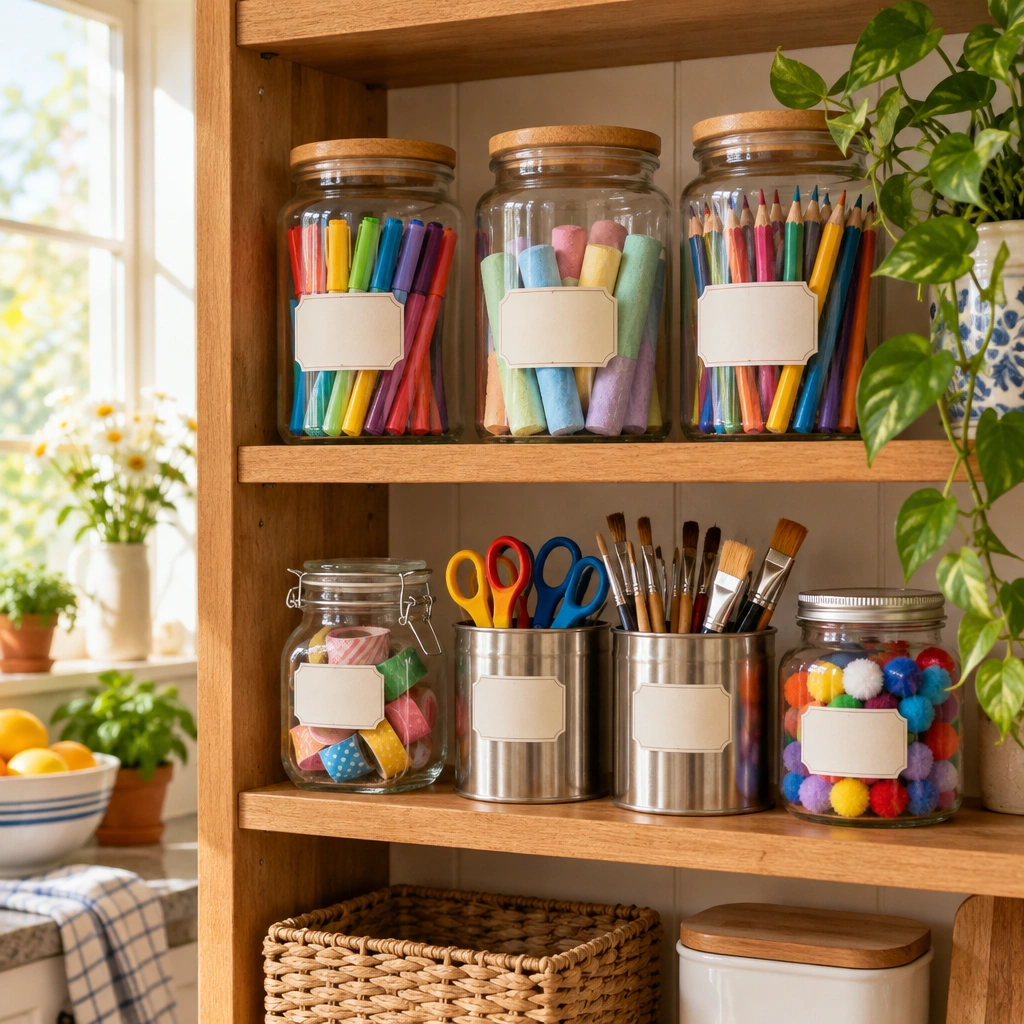
Labeling the classroom or craft supply bins
For a classroom or a shared craft table, keep it simple: one word per bin (crayons, pencils, scissors, glue), set in a large enough font that young readers can sort supplies back into place on their own. A keyboard model like the Brother P-touch PT-D210 or DYMO LetraTag 100H covers this easily, and neither needs a phone nearby, which is handy in a classroom setting.
If you are setting up a whole supply station, our guide on how to store coloring supplies covers bin sizes and sorting systems that pair well with simple, category-based labels.
Give those labeled supplies something to color
Once your pencils, markers and paper are labeled and sorted, it helps to have fresh pages on hand to use them on. Our free printable coloring pages library has thousands of pages to print at home, sorted by theme.
Kids who just got their crayon bin relabeled might like the unicorn coloring pages hub, with pages like Unicorn with Stars and Unicorn on a Rainbow. For a calmer adult coloring break once your art desk is organized, try the cozy coloring pages hub, including Art Desk with Paints, Brushes and a Sketchbook.

If you are restocking supplies to go with your newly labeled bins
A freshly labeled craft shelf is a good excuse to sort out what actually needs replacing. If markers are drying out or bleeding through your paper, our guides on markers for coloring books and paper that resists bleed-through can help you restock the right things.
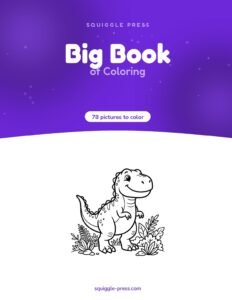
For kids who are ready for their own labeled coloring book bin, our printed, coil-bound Big Book of Coloring is one of our own books, printed one-sided so markers do not soak through to the next page.
However you label it, the goal is the same: open the bin, find the thing, and get back to coloring without a five-minute hunt through a drawer first.
Frequently asked questions
What is the best label maker for home use?
For most rooms, a keyboard model like the Brother P-touch PT-D210 covers pantry jars, bins and files without any app or phone needed. If you want color or fast reprints of saved designs, a Bluetooth model like the DYMO LetraTag 200B is worth the extra step of pairing it to your phone.
Is a Brother or DYMO label maker better for home?
Both brands make solid home machines. Brother tends to have a wider range of tape widths and a few more keyboard-only models, while DYMO has simpler one-hand designs and the LetraTag app line. Tape cartridges are not interchangeable between the two brands, so pick a brand and stay in that family for refills.
Which label maker is best for pantry jars?
A keyboard model with a narrow tape width, like the DYMO LetraTag 100H or Brother PT-D210, is enough for jar and bin labels. You do not need Bluetooth or color printing for this job.
Which label maker is best for cables?
Look for a model built for cable wrap labels, such as the Brother P-touch EDGE PT-E110, which is marketed for cable and wire identification with flexible tape options.
Do label makers need batteries or an adapter?
Most handheld keyboard label makers run on batteries, and many also accept a plug-in adapter sold separately. Thermal sticker printers that pair with a phone app are usually rechargeable.
Is a Bluetooth label maker worth it for home?
It is worth it if you want to design labels on your phone, reprint saved templates, or print in color. For simple text labels on jars and bins, a keyboard model is usually faster and skips the app setup.
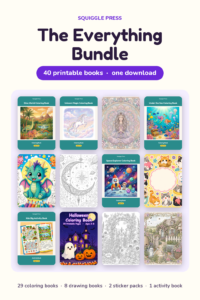
Every Squiggle Press book: 40 printable PDFs for $9.99
Kids coloring books, adult coloring books, drawing tutorials & sticker packs. Over $150 if bought separately. Print unlimited copies forever.
Get the bundle →