Figuring out how to print coloring books at home is mostly about getting three things right: paper weight, printer mode, and ink. Get those right and your home-printed pages will rival a $15 store-bought coloring book. Get them wrong and the pages buckle, lines fuzz, and your kid asks if you broke the printer. Below: the seven things that actually matter when learning how to print coloring books at home.
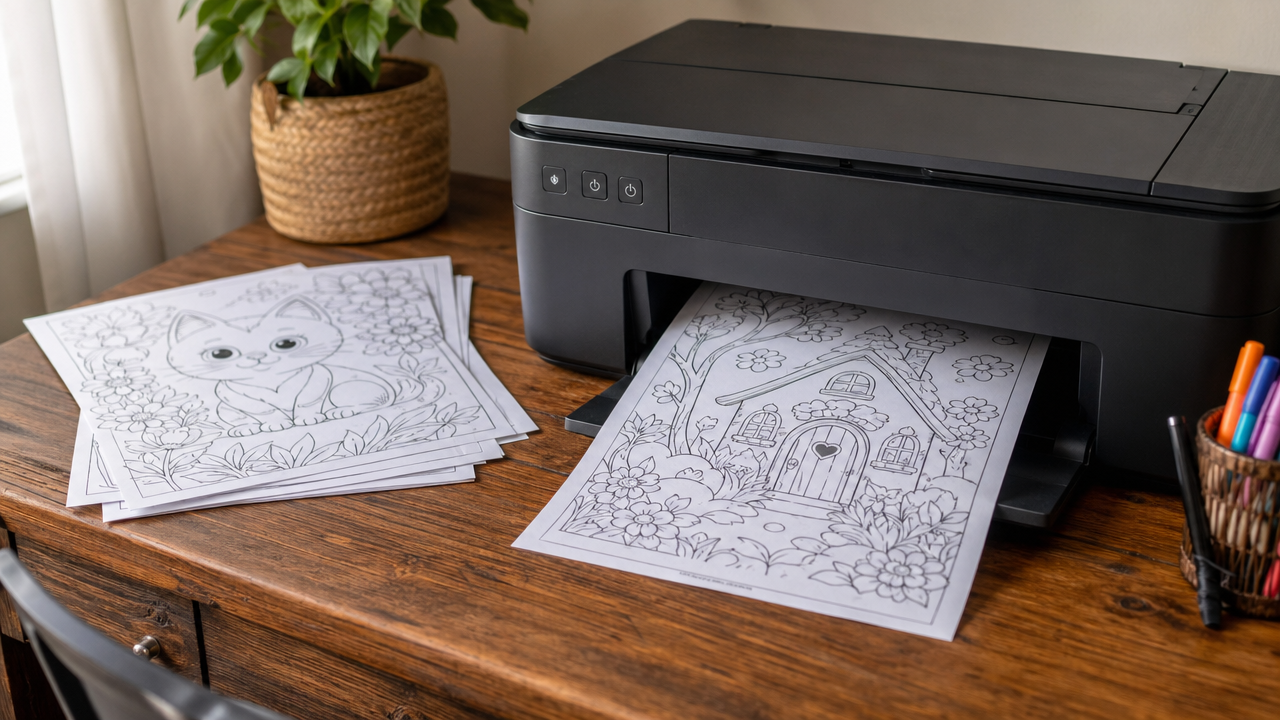
The first time I printed a coloring book at home, I did just about everything wrong. Cheap paper that bled through, default printer settings that produced fuzzy lines, and a setup that ate ink like it was going out of style. Pages curled, the line art looked like a dying fax machine made it, and my kid asked if I had “broken the printer.” Fair.
The Short Version of How to Print Coloring Books at Home
If you only have two minutes, here is the entire how-to-print-coloring-books-at-home cheat sheet: use 24lb paper for crayons, 32lb for markers, set print quality to High, force black-only ink, and turn off borderless. That alone fixes 90% of the problems people have when learning how to print coloring books at home.
So here’s what actually works. Six PDFs and a few hundred pages of printing later, this is the setup that gives you crisp, satisfying coloring pages without burning through ink.
The Paper Matters More Than You Think
This is the single biggest variable. Most people print on whatever’s already in the printer — usually 20lb (75gsm) standard copy paper. That’s fine for a tax return. It’s not fine for a coloring book.
Why it matters:
- 20lb paper buckles when you color it with markers
- It bleeds through if you use anything wetter than crayons
- It feels cheap, and kids notice
What to use instead:
For crayons and colored pencils: 24lb (90gsm) bright white paper. This is the sweet spot for cost vs quality. Costs maybe 30% more than basic copy paper, makes the pages feel meaningfully better. Brands like Hammermill Premium Multipurpose 24lb work great.
For markers: 32lb (120gsm) or higher. Marker bleed-through is the most-asked question I get. The fix is just heavier paper. 32lb stops most kids’ markers cold.
For “real” coloring book feel: 60lb cardstock. This is overkill for daily use but gives you the feel of a store-bought coloring book. I use this for special pages — birthday cards the kids color in, gift-giving, etc.
One thing to avoid: matte photo paper. It looks great in theory, but the surface is too slick for crayons (they slide) and too absorbent for markers (they spread). Stick with regular bright white in the right weight.
Printer Settings: Don’t Just Hit Print
The default printer settings are tuned for documents, not artwork. A few quick changes make a huge difference:
Print quality: High or “Best.” The default is usually “Normal,” which prints fast but produces fuzzy line art. “High” or “Best” mode actually uses your printer’s full resolution and the lines come out crisp.
Color mode: Grayscale or Black-and-white. Coloring pages don’t need color ink. Force the printer to use only black to save your color cartridges. Look for “Print in grayscale” or “Black ink only” in the settings.
Paper type: Match it. If you put 24lb paper in, tell the printer that’s what you put in. The printer adjusts ink amount based on what it thinks the paper is. Matching this makes the lines sharper and the page dry faster.
Borderless: Off, usually. Most home printers can’t print all the way to the edge of the page anyway. Leave the default margins. Coloring pages are designed to print with a small white border.
Inkjet vs Laser: Which Is Better for Coloring Pages?
Quick answer: laser, if you have one. Long answer:
Laser printers produce crisp black-and-white line art with no ink bleed and no smudge. The toner doesn’t run when wet (so markers don’t smear what’s underneath). They’re cheaper per page once you get past the printer cost. If you’re going to print a lot of coloring pages — say, more than 20 a month — a basic mono laser like a Brother HL-L2350DW pays for itself fast.
Inkjet printers are what most homes have. They work fine for coloring pages, but the cost per page is higher and you’ll burn through black ink faster than you’d think. The line art also has a tiny bit of “softness” to it compared to laser.
If you’re stuck with inkjet, the biggest tip is: print in “Black ink only” mode and use a third-party ink cartridge or refill kit. Brand-name ink for inkjets is one of the worst values in technology. There’s no real downside to refills for coloring pages — you’re not printing photos.
Saving Ink (Without Sacrificing Quality)
A few tricks I’ve found:
- Print in “Draft” mode for practice pages. Lower quality, way less ink. If your kid is going to scribble on it anyway, draft is fine.
- Use Adobe Acrobat or Foxit’s “Toner Save” mode. Most PDF readers have an ink-saver option that lightens the print without losing the lines. Saves about 30%.
- Double-sided printing if your printer supports it. Cuts paper in half. Just make sure the paper’s heavy enough (32lb+) to prevent bleed-through.
- Print 2 pages per sheet for younger kids. Toddler pages don’t need to be full size — 2-up printing makes the printer use half the ink and gives you a smaller, more manageable page.
The Mistakes I Made (So You Don’t)
Printed on 20lb copy paper because “it’s just for the kids.” Pages buckled, markers bled through, looked cheap. Stop being a hero — get the 24lb paper.
Used default “Normal” print quality. Lines were fuzzy. Bumped to High and the pages instantly looked twice as expensive.
Printed everything in color mode by accident. Burned through magenta ink for no reason. Force black-only and forget about it.
Saved files in low-resolution PDF. If you’re downloading PDFs from somewhere, make sure they’re at least 300dpi. Squiggle Press PDFs are 300dpi by design — random Pinterest downloads often aren’t, and they print fuzzy.
What I’d Buy If I Were Starting From Scratch
If I were setting up a “color the kids’ coloring books printing station” from zero today:
- Printer: Brother HL-L2350DW (mono laser, ~$120, prints forever)
- Paper: Hammermill Premium 24lb bright white (cost ~$10 for 500 sheets)
- For markers: Add a small stack of 32lb cardstock (around $10 for 100 sheets)
Total under $150, and you’ll print thousands of pages without thinking about it again. The ink-cost-per-page on a mono laser is something like a tenth of a cent. You can’t get cheaper.
FAQ
Can I print Squiggle Press coloring books at home? Yes — every product is delivered as a high-resolution PDF specifically built for home printing. There’s no DRM, no print limit, no subscription. Print as many as you want, forever.
What size paper do they print on? Standard US Letter (8.5″×11″) for US customers. They also print fine on A4 with “Fit to page” enabled.
Do they work with cardstock? Yes, as long as your printer can feed cardstock. Check your printer’s max paper weight before trying anything over 60lb.
Can I print just one page from a book? Of course. Open the PDF, hit Print, and tell the dialog to print “Custom” or just the page numbers you want.
That’s the whole thing. Get the right paper, change the print quality to High, force black ink, and you’ve fixed 90% of the issues people have with home-printed coloring books. If you want to try it on something good, the Squiggle Press shop is full of instant-download PDFs designed for home printing — every page is 300dpi, every line is clean, and every book is print-as-many-times-as-you-want.
Further Reading
If you want to dig deeper into how to print coloring books at home, these external resources are worth a read:
- Consumer Reports on home printer testing
- Wirecutter best home printer guide
- Epson printer paper-weight reference
Quick Reference: How To Print Coloring Books At Home
Here is the at-a-glance answer for how to print coloring books at home:
- What works best for how to print coloring books at home: Quality over quantity, every time. Pick how to print coloring books at home that match your kid’s age and interests, not the most pages.
- Where to find how to print coloring books at home: Squiggle Press has a curated set of how to print coloring books at home as instant-download PDFs at squiggle-press.com.
- Best paper for how to print coloring books at home: 24lb minimum for crayons and colored pencils, 32lb for markers. Standard copy paper buckles.
- Print settings for how to print coloring books at home: Set print quality to High and force black-only ink for the cleanest line art.
- Cost of how to print coloring books at home: Free options work for casual use; paid how to print coloring books at home ($1.99-$4.99) are worth it when you want a complete themed set.